zOffice Sheet
Status: Ready
A spreadsheet for numbers, text and formulas, worked out as you type.
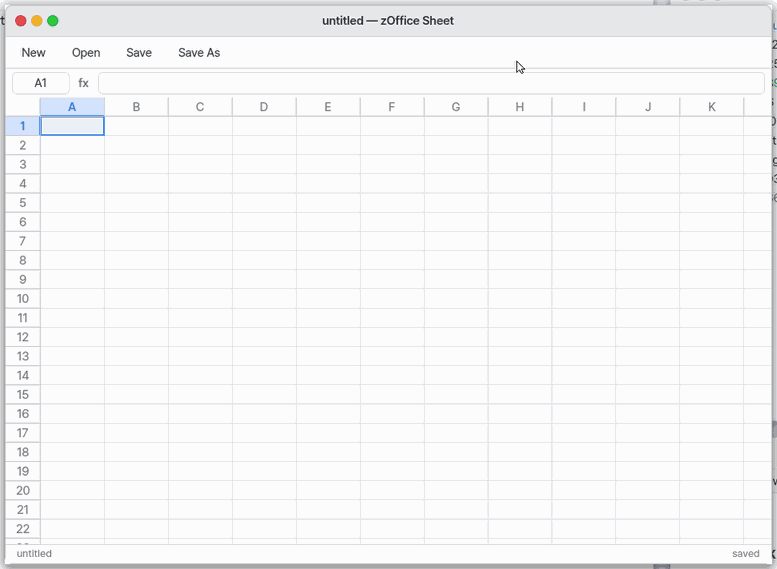
Double-click an .xlsx or .csv file in Files to open that spreadsheet here.
About this app
A spreadsheet app: write numbers, text and formulas in cells and let it calculate. It is part of the zOffice set and the same app runs on the computer and on the phone screen (Mobile). Double-click a .xlsx or .csv in Files to open it.
Basics
A spreadsheet is like a ruled notebook for your household accounts, with one difference: you do not add the totals yourself. Write a formula such as =SUM(A1:A3) in a cell and the app adds those cells up, and when you change a number the total follows at once. A cell is named by its column letter and row number (A1, B2...).
How to use it
- Click a cell, type a value and press
Enterto move down (Tabmoves right). - Anything starting with
=is a formula.=SUM(A1:A3)adds A1 to A3. - The "+" on the sheet tabs at the bottom adds a sheet.
- Select number cells and press "Chart" to add a bar, line or pie chart.
- Use the Data menu for sort, filter, Remove Duplicates and Trim Whitespace,
Ctrl+Fto find andCtrl+Hto replace text, andCtrl+Sto save (the default is .xlsx; Settings can change it to .csv).
Try it yourself
Try it: type numbers in A1 to A3, write =SUM(A1:A3) in A4, then change A1 and watch the total follow.
How it works
- Numbers are calculated as exact decimals, so
0.1+0.2is exactly0.3. - Only the cells you write are kept in memory, so a sheet can be 1,048,576 rows by 16,384 columns.
- When you change one cell in a big sheet, only the formulas that use that cell are calculated again (it finds them by scanning what each formula refers to; a formula it cannot read with certainty is calculated anyway). A small sheet calculates every formula again.
- Big sheets: an .xlsx of 50,000 rows x 8 columns (400,000 cells) opens, and only the cells in view are drawn, so scrolling stays smooth. A big block you paste goes in 100 rows at a time ("Pasting NN%" after 0.3 s) and the formulas are calculated once when all of it is in.
- Reading a file is done by a small separate program, not by the sheet window, so a damaged file cannot stop the app.
- On Mobile a change is saved by itself about a second later.
Technical details
The engine is in user/office/calc.c, so the same code runs in the kernel, in host tests and in wasm32. Numbers are m x 10^e integer decimals (the kernel has no floating point) shown with 15 significant digits. There are 149 functions; the errors are #DIV/0! #VALUE! #REF! #NAME? #NUM! #N/A, and a circular reference is #CIRC!. Reading .xlsx, .ods and .csv is done by oodoc, which writes a flat table model (ZSM); the sheet window builds the table only after checking it. Version 1.7.0.
FAQ
A formula shows #REF!
The cell or sheet the formula pointed to was deleted. Press Ctrl+Z to bring it back.
Can I exchange files with other spreadsheet programs
It opens and saves .xlsx, .ods and .csv. Merged cells, borders, pivot tables and font sizes are not there yet, and charts and conditional formats in ODS are not read.
Does it work on a phone
Yes. It is in the "zOffice" folder on the second home page, and tapping a cell brings up the keyboard.
At a glance
In one line: A spreadsheet app: write numbers, text and formulas in cells and calculate.
The screen
- Cells: press one to pick it and type to fill it
- Formulas: start with
=and it calculates - Sheet tabs at the bottom: "+" adds a sheet
- Menus: Format, Insert, Data (charts, sort, filter)
Task 1. Write in a cell
- Press a cell
- Type a value
- Press
Enter
Say: "Make a sheet and list fruit prices"
Task 2. Write a formula
- Go to a cell
- Type a formula like
=SUM(A1:A3) - Press
Enter
Say: "Make a fruit price sheet with a total row"
Task 3. Save
- Press "Save"
- Look for the file in the Documents folder
Say: "Open the Sheet app"
Try this
1. Write in a cell
- Pick a cell and just type: the text goes into it.
Entermoves down.
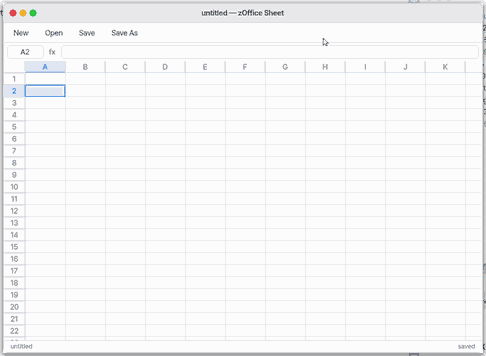
- Type a value and press
Enter. 1,234 · 50% · ₩1,000 · 3,500원 · 2026-11-02 · 11월 2일 become numbers and dates shown the way you typed them.
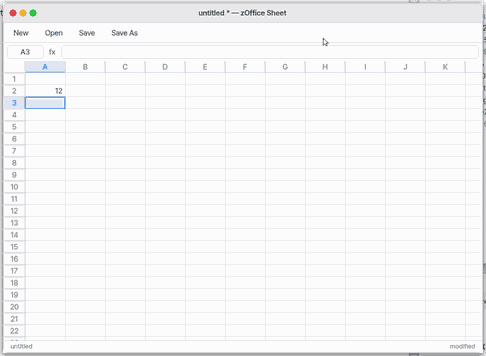
2. Write a formula
- Go to a cell and type a formula starting with =. A cell of another sheet is =SheetName!A1.
- Press
Enterto work it out. About 110 functions: SUM, AVERAGE, IF, VLOOKUP, XLOOKUP, SUMIF, TEXT, DATE and more. Copy a formula, or drag the small square at the selection's lower right (the fill handle): names like A1 move along, $A$1 stays.
3. Save
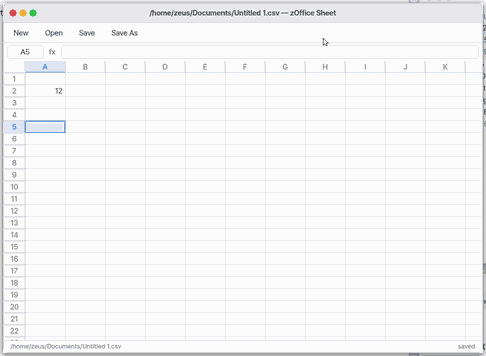
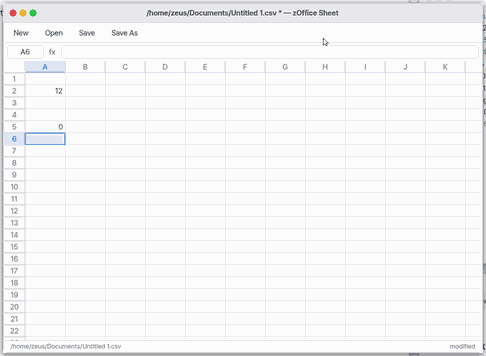
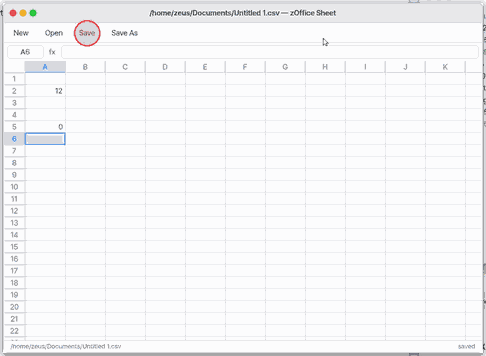
- Press "Save". A new sheet is saved in Documents as "Untitled 1.xlsx", and saves itself a second after each change. The sheet tabs, formats and charts are saved with it.
Shortcuts
| Key | What it does |
|---|---|
Ctrl+N | New |
Ctrl+O | Open… |
Ctrl+S | Save |
Shift+Ctrl+S | Save As… |
Ctrl+W | Close |
Enter | Put in what was typed and go down. With Shift: up. |
Tab | Next cell. Shift with Tab: previous cell. |
Backspace or Delete | Empty the selected cells. With a chart selected: delete the chart. |
Ctrl+C / Ctrl+X / Ctrl+V | Copy / Cut / Paste (formulas' cell names move along) |
Ctrl+D | Fill Down: the selection's top row into the rows below |
Ctrl+R | Fill Right |
Ctrl+A | Select every used cell |
Ctrl+F / Ctrl+G / Ctrl+H | Find / find next / replace |
Ctrl+PgDn / Ctrl+PgUp | Next / previous sheet |
Shift+F11 | New sheet |
Ctrl+Z / Shift+Ctrl+Z | Undo / Redo. While you type in a cell, Ctrl+Z gives the cell back as it was. |
Ctrl+B / Ctrl+I / Ctrl+U | Bold / Italic / Underline |
Shift+Ctrl+L | Filter on or off |
- Hold
Shiftwith the arrows to select a block. The status line shows its average, count and sum. - Sheet tabs: "+" adds one; double-click a tab to rename it, drag it to reorder, right-click for Delete and Move.
- Charts: select cells with numbers, then "Chart" on the toolbar or Insert › Bar, Line or Pie Chart. Text in the first row names the series, text in the first column names the categories. Drag a chart to move it.
- Format menu: General · Number 1,234 · Currency ₩ · Won 1,234원 · Percent · Date 2026-11-02 · Date 11월 2일 · Scientific · Korean amount (삼천오백) · Text.
- View menu: Freeze First Row · Freeze First Column — the headings stay while you scroll.
- Lower part of the Format menu: Bold · Italic · Underline · Align Left / Center / Right · fill colours (yellow, green, blue, red, gray) · text colours (red, blue, green). A number format change keeps them.
- Frozen rows and columns are saved in the .xlsx.
- Data › Sort A to Z / Sort Z to A: pick one cell of a table. The whole rows move by that cell's column; a first row of text stays as the header; empty cells always go last and equal values keep their order; formulas move with their rows.
Ctrl+Zundoes it. - Data › Filter (
Shift+Ctrl+L): a ▾ button on each header cell. Press it to sort by that column or to show only the rows with one value (Show All brings the rest back). The status line says "3 / 6 rows shown"; the filter and the hidden rows are saved in the .xlsx and other spreadsheet apps show them too.
Try it now: pick a cell of a table and choose Data › Filter.
- Rows and columns in and out: right-click a cell, or Edit › Insert Rows Above · Insert Columns Left · Delete Rows · Delete Columns. As many go in or out as the selection spans; formulas follow (a formula pointing at a deleted cell shows #REF!).
Ctrl+Zundoes it. - Highlight rules (Data menu): Greater Than… · Less Than… · Equal To… · Text Containing… — after the value, the cells of the selection (one cell: its whole table) that hold get a light red fill with dark red text. They follow the values as they change and are saved in the .xlsx as conditional formatting. Clear Highlight Rules removes them.
- Export as PDF (File menu,
Shift+Ctrl+E): the sheet's filled cells as a table in a PDF. Rows a filter hides are left out; past six columns the page turns sideways.
Settings
File › "Settings…" (Ctrl+,) or OS Settings › Apps › zOffice Sheet: Default save format — Excel workbook (.xlsx, the default) or CSV (.csv).
Table Focus Mode
On a phone: the File menu
A phone has no menu bar at the top, so file work goes the way phone apps do it. The file's name sits in the middle of the top bar with its save state under it ("Saved ✓ 3s ago"); tap the name to rename the file. The "⋯" button at the right brings a menu up from the bottom.
What to do now: tap "⋯".
- New · Open… (recent files, then "Browse Documents…") · Rename · Duplicate (makes a copy and opens it) · Save
- Save in Another Format — makes a copy in Documents; the file you are in stays as it is. Formats: Excel (.xlsx), OpenDocument (.ods), CSV (.csv — the sheet you are on).
- Download to Phone · Share (NanumOS Mobile) — the phone's share screen opens, or the file downloads where there is none. To print, use Print on the share screen.
- Move to Trash (bring it back from the Trash in Files) · Settings · Close
On a phone a row is tall enough to tap with a finger (44 pixels), and columns too narrow to tap are shown wider (the file's column widths stay as they are).
OpenDocument (.ods)
A LibreOffice .ods opens and saves as .ods. Sheets, numbers, text, TRUE / FALSE, dates, times, percentages, currency, formulas (LibreOffice's [.A1] is read as Excel's A1), number formats and column widths are read; saving writes dates as dates and percentages as percentages. Charts, conditional formatting and merged cells in a .ods are not read yet.
The program that reads a file runs on its own
A spreadsheet you received may be damaged, or made to attack. So reading .xlsx, .ods and .csv is done by a small program (oodoc) outside the Sheet window and the system. It is like opening a parcel on a bench outside the front door instead of inside the house. The program has a fixed amount of memory and may write to one temporary folder only. Sheet checks everything it sends back before using it. If a file makes the program stop, Sheet says "The spreadsheet reader stopped on this file (it may be damaged)", and the open table and your other apps stay as they were. What to do now: nothing.
Technical details
u -m N -w /tmp/oodoc oodoc sheet xlsx|ods|csv FILE OUT writes the workbook as a ZSM (a flat table model). Sheet checks every cell position, format number, number, text length, chart and rule before it builds the table (user/office/calc_zsm.inc). Saving (.xlsx, .ods, .csv) writes from the checked table, so it stays in Sheet. Formulas and format codes are read by Sheet when it calculates. docs/APP-ISOLATION.md §8.
What it cannot do
- Numbers show 15 significant digits. The arithmetic is exact decimal, so 0.1+0.2 is exactly 0.3.
- No merged cells, borders or font sizes, no pivot tables; conditional formatting is the four highlight rules (one colour). A filter shows one value of one column (several values and conditions: not yet).
- No array constants ({1,2,3}) or array formulas yet, no defined names.
- Charts are bar, line and pie; a chart made in another app keeps only its data range and kind.
On mobile too
The same Sheet app runs on 「Mobile」 in a phone's browser. It is in the 「zOffice」 folder on the second home page.
- Tap a cell and the keyboard comes up. Type a number, text or a formula starting with
=and press Enter: it goes into the cell and moves down. Korean works the same. - The sheet saves itself about a second after each change. A new sheet is saved in Documents as 'Untitled 1.xlsx' and stays in this phone's browser (it is there when you come back).
- Sheet tabs, formulas and charts are saved exactly as on NanumOS on a computer.
Find, replace, remove duplicates, trim spaces
- Find (
Ctrl+F): type the text and press Enter. The first cell after the one you are on, going row by row, that shows or holds the text is selected, and the status line says "Match 2 / 5".Ctrl+Ggoes to the next one and starts again from the top after the last. Capital and small Latin letters count as the same. - Replace (
Ctrl+H): type the text to find, then the text to put in its place (leave it empty to take the text out). It works on the selected cells, or on the whole sheet when one cell is selected. Formulas are left as they are. The status line says how many places changed, and oneCtrl+Zbrings everything back. - Remove Duplicates (Data menu): of rows that are equal in every selected column (capital and small letters count as the same) the first stays and the others go; the rows below move up. Select one cell inside the table and the whole filled block is used; a first row of text stays as the header. Up to 5,000 rows at a time.
Ctrl+Zbrings the rows back. - Trim Whitespace (Data menu): takes the spaces off both ends of the text in the selected cells and makes runs of spaces one space.
NanumOS 0.1.8349 · 2026-11-16