Data Import
Status: Ready
Bring passwords, mail and files over from another computer.
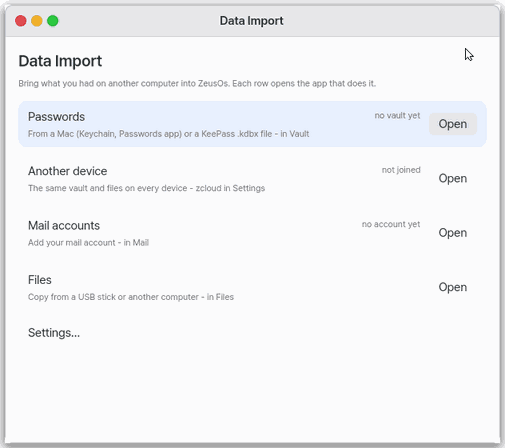
About this app
One window that gathers the places where you bring in passwords, mail and files from another computer. It is like the reception desk of a move, taking your things by kind. It has no import engine of its own; each row opens an import screen that already exists.
Basics
When you change computers there are a few kinds of things to carry: passwords, keeping content the same across your devices (zcloud), mail accounts and files. Each already has an app in charge (vault, settings, mail, files), and this app takes you straight to its import place. Passwords can be exchanged as a .kdbx file.
How to use it
In the server-free try-out only the Files row is shown (Passwords, Other devices and Mail need a server).
- Press “Open” on the Passwords row to open the vault; choose import there or bring a
.kdbxfile. - “Open” on the Other devices row opens zcloud in Settings. Once you join, the vault and files become the same on every device.
- “Open” on the Mail accounts row opens Add account in Mail.
- “Open” on the Files row opens the Files app, from which you copy files from a USB stick and the like.
- Pick a row with the up and down arrows and press
Enterto open it.
Try it yourself
Try it: press “Open” on the Passwords row to see the vault open, then come back and press “Open” on the Files row.
How it works
- The app itself does not move any data. Each row opens the import screen of the app in charge.
- It does not move a whole computer at once; you do it row by row in that app.
- Turn on “Show what is already there” in Settings and each row says what exists now (vault present, zcloud joined, mail account present).
- There is no row yet for importing contacts or calendar files (vCard, iCal); import them directly in the Contacts or Calendar app.
Technical details
“Show what is already there” only reads the files those apps keep. The import paths are the vault (keychain import, .kdbx), Settings > zcloud, Add mail account and the Files app. The app's settings are in Settings > Apps > Data Import or “Settings…” (Ctrl+,) in the window.
FAQ
Can I bring everything in at once
No. Passwords, mail and files are imported one by one in their own apps.
Where do I import contacts and calendars
There is no row in this window yet. Use Ctrl+I in Contacts for a .vcf file and the File menu in Calendar for an .ics file.
I pressed “Open” but nothing was moved
“Open” only opens the import screen. You must finish the import inside the app that opens.
At a glance
In one line: One window that gathers the places to bring in passwords, mail and files from another computer.
The screen
- "Passwords" line: opens the vault
- "Other devices" line: opens zcloud in Settings
- "Mail account" line: opens Add account in Mail
- "Files" line: opens the Files app to copy from a USB stick and the like
Task 1. Bring in passwords
- Press "Open" on the "Passwords" line
- Press "Import from Mac"
Say: "Open Data Import"
Task 2. Match other devices
- Press "Open" on the "Other devices" line
- Sign up for zcloud
Say: "Open the Data Import app"
Task 3. Bring in mail and files
- Press "Open" on the "Mail account" line
- Press "Open" on the "Files" line
Say: "Open Data Import for me"
Try this
1. Bring passwords
- "Open" on the Passwords row opens Vault: bring them with "From Mac" or a .kdbx file.
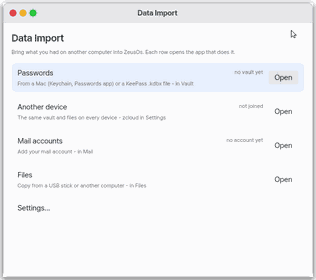
2. Match another device
- "Open" on Another device opens zcloud in Settings: once joined, the vault and files are the same on every device.
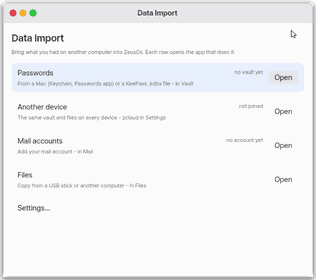
3. Mail and files
- Mail accounts opens Mail's Add Account; Files opens Files to copy from a USB stick and the like.
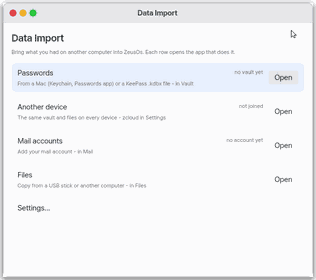
Shortcuts
The Up and Down arrows pick a row and Enter opens it. Ctrl+, Settings.
Settings
Settings › Apps › Data Import, or "Settings…" in the window: "Show what is already here" — on, each row says what is already here (vault here, zcloud joined, an account here). It only reads the files those apps keep.
What it does
The place to bring in data from elsewhere. It has no import engine of its own: it opens the ways that exist — Vault (Mac Keychain, the Passwords app, KeePass), Settings › zcloud, Mail and Files.
What it cannot do
- It does not move a whole computer at once: each row is done in its app.
- No row yet for contact and calendar files (vCard, iCal).
NanumOS 0.1.8349 · 2026-11-16