Reminders
Status: Ready
Lists of things to do, with alerts.
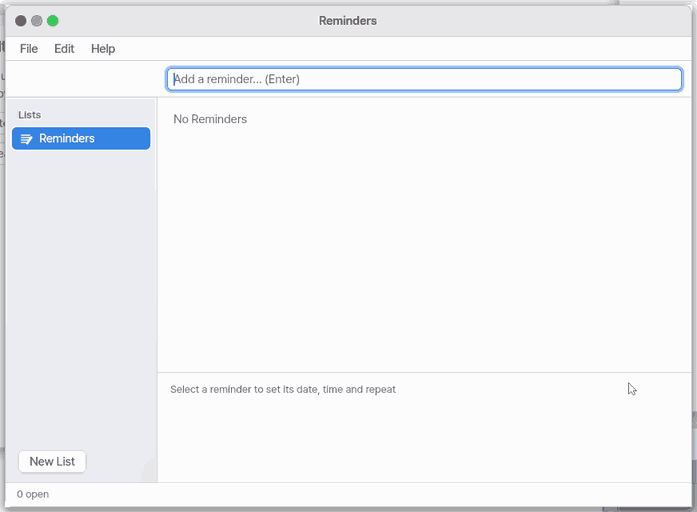
About this app
An app that keeps your to-dos in lists and alerts you at the time you set. It opens on the computer and on the phone screen (Mobile).
Basics
A to-do list is like a note stuck on the fridge: once it is written down you can stop holding it in your head, and when it is done you cross it out. This app adds a date and a time to each note and puts a banner on screen when the time comes. If you choose "daily" or "weekly", finishing the item moves it to the next day or week by itself.
How to use it
- Press
+, type the to-do and pressEnter. - Press the circle at the start of a line to mark it done.
- Pick "Today" or "Tomorrow" for the day, and a time and repeat (none, daily, weekly) if you want them.
Ctrl+Shift+Nmakes a new list to keep things apart (up to 8 lists).- Everything saves by itself, so it is all still there after you close the app.
Try it yourself
Try it: write "Buy milk", set its day to "Tomorrow", then press the circle to mark it done.
How it works
- Each list is saved on this device as a plain text file, one line per to-do, and every change is saved at once.
- While the desktop is running the app keeps watching the clock even if its window is closed, and shows a Notification Center banner when a to-do comes due.
- A date without a time is due at 9:00.
- To-dos already overdue when the desktop starts are shown in red, but they do not raise a banner then.
FAQ
I finished a to-do and want it gone
Pick the line and press Ctrl+Del to delete it. To just mark it finished, press the circle.
I don't get alerts
Alerts only ring while the computer (desktop) is on. A time that passed while it was off is not announced; the line just shows in red. On Mobile they ring only while the page is open.
Can it repeat monthly
Not yet. Repeats are daily and weekly only.
At a glance
In one line: An app that keeps your to-dos in a list and reminds you.
The screen
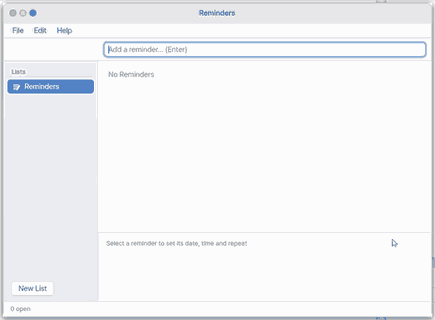
- List: one to-do per line
+: adds a new to-do- The circle at the start of a line: marks it done
- "Today" and "Tomorrow": set the day
Task 1. Add a to-do
- Press
+ - Type the to-do
- Press
Enter
Say: "Add buy milk to my to-dos"
Task 2. Mark it done
- Press the circle at the start
- See the line turn to done
Say: "Open the To-do app"
Task 3. Today or tomorrow
- Pick a to-do
- Press "Today" or "Tomorrow"
Say: "Add see the doctor tomorrow to my to-dos"
Try this
1. Add a reminder
- Click
+.
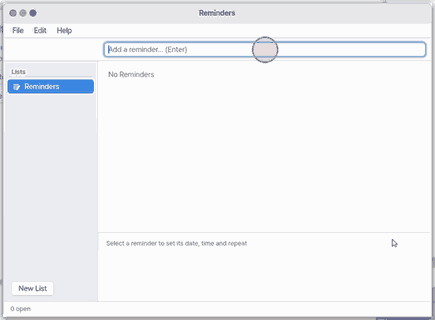
- Type it and press
Enter.
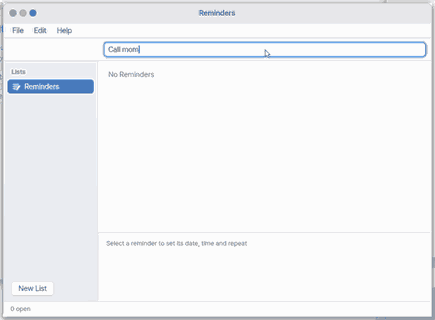
2. Mark it done
- Click the circle in front.
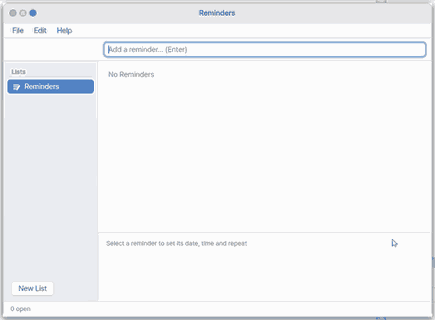
3. Today or tomorrow
- Pick Today or Tomorrow for the date.
Shortcuts
| Key | What it does |
|---|---|
Ctrl+N | New Reminder |
Ctrl+Shift+N | New List… |
Ctrl+W | Close |
Ctrl+Enter | Mark Done |
Ctrl+Del | Delete Reminder |
F1 | Reminders Help |
Settings
Reminders has no settings. It has no Settings… menu item and no entry under Apps in OS Settings yet.
What it cannot do
- There are at most 8 lists and 128 reminders in all. When full you see "The list is full" or "Eight lists at most".
- Repeats are only Daily and Weekly. There is no monthly, yearly or weekdays-only repeat.
- A notice is only a banner. There is no sound and no second reminder.
- It cannot notify while the desktop is not running.
- There are no priorities, no sub-items, no place-based notices and no sync with other devices.
- It opens on mobile too, and asking Zeus to add a reminder puts it here. A due reminder rings only while the page is open — with the browser closed the phone does not ring for it.
- On a phone it opens on the list you looked at last (the first list at first) with 「Add a reminder」 ready and the keyboard up — type and press Enter. The other lists are under 「‹ Back」.
NanumOS 0.1.8349 · 2026-11-16