Unit Converter
Status: Ready
Convert lengths, weights, temperatures and more.
About this app
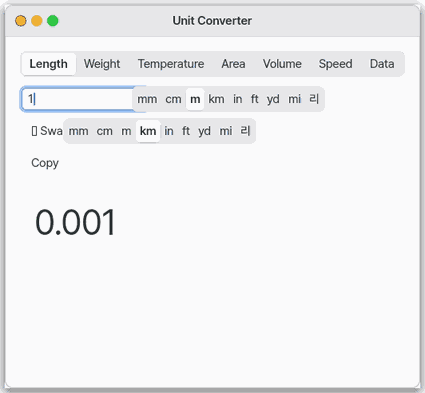
Unit Converter turns lengths, weights, temperatures, areas, volumes, speeds and data sizes into other units. The result changes as you type. It also has Korean units such as pyeong, geun, don, ri, doe and mal.
Basics
Not applicable — you type a number and pick units, so there is nothing to learn underneath.
How to use it
- Pick a kind (length, weight and so on) in the row at the top.
- Type a number and choose the two units. The result changes as you type.
- Press "Swap" to exchange the two units. You can copy the result.
Try it yourself
Try it yourself: In Length, type 1 and pick miles and kilometers. Then switch the kind to Temperature and see what 25 degrees Celsius is in Fahrenheit.
How it works
- Every unit has a fixed "times the base unit" value. The app turns the first unit into the base unit and then into the second one. Values that change daily, like exchange rates, are not used.
- Temperature cannot be done by multiplying alone, so Celsius, Fahrenheit and Kelvin have their own formulas.
- Results show up to six decimal places. Nothing is saved, so closing the app returns to the start (1 m).
Technical details
- Kinds: length, weight, temperature, area, volume, speed, data size. Korean units: pyeong (3.3058 m²), geun (600 g), don (3.75 g), ri (392.727 m), doe (1.8 L), mal (18 L). Source
src/gui/unit.c, version 1.1.0. - On the phone screen the same converter is one column, with kinds and units as rows of buttons.
FAQ
How do I convert pyeong to square meters
Set the kind to Area, pick pyeong as the first unit and square meters as the second, then type the number. One pyeong is about 3.3058 square meters.
Can it convert currencies
No. Exchange rates change every day, so the app does not have them. It only converts units with fixed values.
My number is gone after reopening the app
Yes, nothing is saved and the app starts from 1 m again. Copy the result you need before closing.
At a glance
In one line: An app that converts units such as length, weight and temperature.
The screen
- Type box at the top: Length, Weight, Temperature, Area, Volume, Speed, Data size
- Number box: the result changes as you type
- Swap button: switches the two units
Task 1. Convert a length
- Type a number
- Look at the result
Say: "How many kilometers is 1 mile?"
Task 2. Change the kind
- Press the kind box at the top
- Choose Weight or Temperature
Say: "What is 25 Celsius in Fahrenheit?"
Task 3. Swap the two units
- Press Swap
- Look at the new result
Say: "Open the unit converter"
Try this
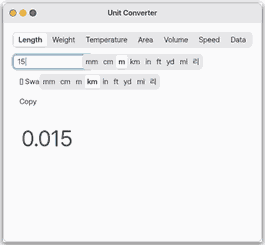
1. Convert a length
- Type a number. The result changes as you type.
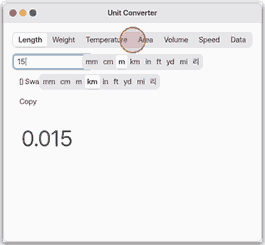
2. Pick another kind
- Pick weight, temperature and more on the tabs at the top.
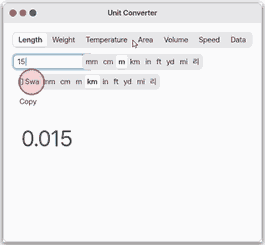
3. Swap the units
- Click Swap to flip the two units.
Shortcuts
| Key | What it does |
|---|---|
Ctrl+W | closes the window. |
Tab | moves between the fields. |
Settings
This app has no settings.
What it cannot do
- Seven kinds: length, weight, temperature, area, volume, speed and data size, with Korean units such as pyeong, geun and don.
- Six decimal places; no currency.
- On mobile the kinds and units are rows of buttons. The value goes back to the start (1 m) when the app closes.
NanumOS 0.1.8349 · 2026-11-16