Video
Status: In trial
Open video files.
About this app
Opens video files. MP4, MOV, WebM and MKV files play full screen with sound, and afterwards the window tells you how many frames were shown. Videos recorded in Photo Booth play right inside the window.
At a glance
In one line: An app that opens a video file and plays it full screen with sound.
The screen
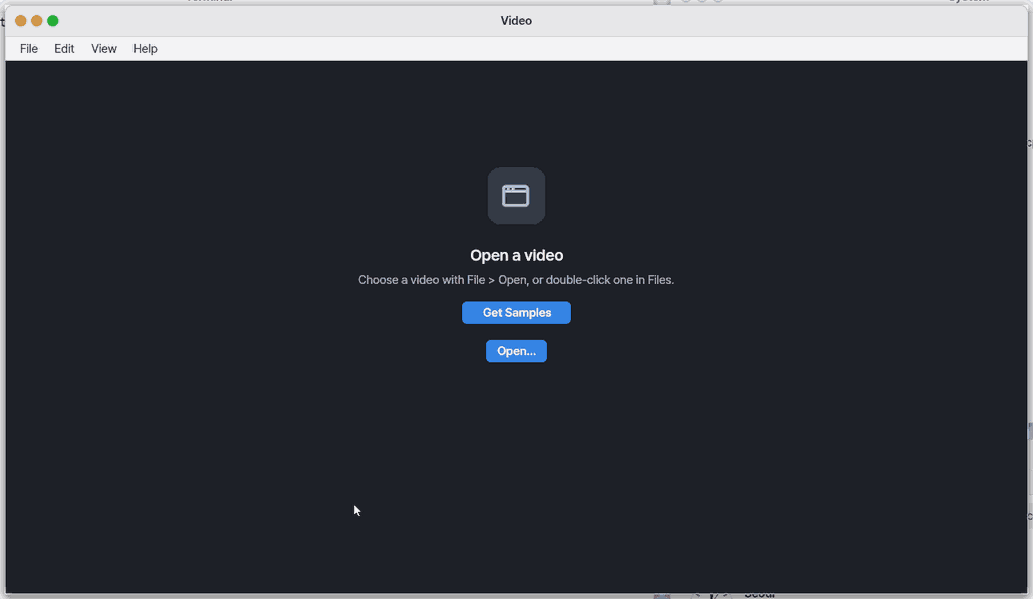
- Open button: choose a video file
- Playback screen: full screen, with a bar at the bottom
- Bottom bar: play/pause, time passed, progress bar, volume
- Window after playing: shows Played and how many frames per second
Task 1. Open a video
- Press Open
- Choose a video file
Say: "Open the Video app"
Task 2. Control playback
- Press
Spaceto stop - Press
→to jump 5 seconds ahead - Press
Escto return to the window
Say: "Bring the Video app to the front"
Task 3. Open from the Files app
- Open the Files app
- Double-click the video
Say: "Show the Movies folder in Files"
Basics
Think of a video file as a box and its contents. The box (container) is the format at the end of the file name — MP4, WebM, MKV — and inside it travel a picture stream and a sound stream, separately. Pictures and sound would be far too big as they are, so they are packed small by a codec — like vacuum-packing luggage. Playing unpacks them frame by frame (decoding) and draws them.
- AV1 — the newest picture codec: the same quality in a smaller file. Widely used for internet video.
- VP9 — the picture codec of the generation before AV1, very common in internet video.
- H.264 and AAC — the long-standing picture and sound codecs; most phone camera videos use them.
How to use it
Double-click a video in Files or Downloads to open that file here.
- Double-click a video in Files, or choose one with
Ctrl+O. It plays full screen at once. Spacepauses and plays,←→move 5 seconds.Escbrings you back to this window.- Back in the window you see 「Played」 with the frames per second shown and whether any were dropped.
- If the card 「To play this video, a video decoder is needed」 appears the first time, press [Download]. It plays as soon as the decoder is here.
- When the Movies folder holds many videos the list rolls with the wheel. File > Open Recent opens a video you watched lately again.
Try it yourself
Try it: play a video from 「Get Samples」 and press I while it plays. The top left shows the size, the codec (AV1, VP9, H.264) and how many frames per second are being drawn.
How it works
- Opening a file reads its first bytes to know the box (by content, not by the name). For MP4 it reads the box's table of contents; for WebM and MKV it walks the scene groups (clusters) from the start — either way it builds a table of where each frame sits in the file.
- The picture stream is unpacked one frame at a time by the decoder for its codec; each frame (brightness plus two colour planes) is turned into screen colours, scaled and drawn.
- The sound stream is unpacked by the sound decoder and sent to the sound card. The clock is the sound: the player looks at how far the sound card has played and shows the frame for that moment. When a frame is late it skips one to catch up with the sound (so lips and words stay together).
- Everything happens on this device. The file is not sent anywhere.
Why it is built this way: a decoder reads files that come from outside, so the box readers are ours, written strictly from the start (a size that does not add up is refused with a reason), and the decoders are widely tested open decoders taken as they are, guarded every day by feeding them countless broken files (fuzzing).
- Opening a video lends the whole screen to the player (
vplay), which unpacks and draws the pictures; the window comes back at the end. - Public builds: the player first looks for the video decoder on this device. If it is not there the card appears, and only when you press [Download] does the device fetch the decoder file straight from Cisco's server. Our servers neither hold nor pass on that file.
- Settings › Apps › Video 「Downloaded decoder」 turns it on or off and removes it.
- Inside the Mac app the player first asks the Mac to "unpack this picture". The Mac does it with its own video features and hands back the pictures and the sound; NanumOS only draws them — like borrowing a neighbour's kitchen, so there is nothing to download. The asking goes only through the one channel the Mac app gives NanumOS; turn off "Devices for NanumOS" in the Mac app and it stops asking.
Technical details
- Only 8-bit 4:2:0 pictures are drawn. 10-bit AV1 / VP9 (HDR) and 4:4:4 end with a reason and no picture.
- Terminal:
vplay --info FILE(tracks),vplay --bench FILE(decode speed),vplay --yuv OUT FILE(the decoded pictures as they are — the tests compare their hash).
FAQ
Which files play
The video stutters
Big videos such as 1080p skip frames when the computer is busy; the 「dropped」 count shown afterwards is the sign. Close other heavy work and play it again. Zeus's check row 「동영상」 also shows the last play's frames per second.
Why AV1 and VP9 everywhere but H.264 only in some builds
Why does something have to be downloaded
A public build has no decoder for MP4 pictures. The decoder is a file Cisco makes available, and this device downloads it only when you press [Download] the first time it is needed. It is about 0.6 MB and is downloaded once.
Where does it come from
From Cisco's server (ciscobinary.openh264.org) straight to this device. It does not pass through our servers, and the file stays on this device only. If what arrives differs from the fixed Cisco file by even one byte, it is thrown away and the app says 「Nothing was kept.」
How do I turn it off or remove it
In Settings › Apps › Video › 「Downloaded decoder」, [Turn Off] keeps the file but stops using it; [Turn On] uses it again; [Remove] deletes it. While it is off, opening an MP4 says 「The video decoder is turned off」 with [Open Settings]. That place shows "OpenH264 Video Codec provided by Cisco Systems, Inc.".
What if I do not download it
[Cancel] downloads nothing and does nothing else. That MP4 cannot be watched, but Photo Booth videos still play in this window without the decoder.
Do I have to download it on a Mac
No. On a Mac, NanumOS borrows the Mac's own video features — inside the Mac app it plays MP4 (H.264 and HEVC) and its sound (HE-AAC too) without downloading anything. Turn off Machine › "Devices for NanumOS…" in the Mac app and it stops borrowing and goes back to the download above.
HE-AAC sound sounds a little different
A public build decodes the basic (LC) part of AAC sound. Videos and stations stored as HE-AAC still play with sound, but the highest notes may be a little less clear.
Try this
1. Open a video
- Click Open.
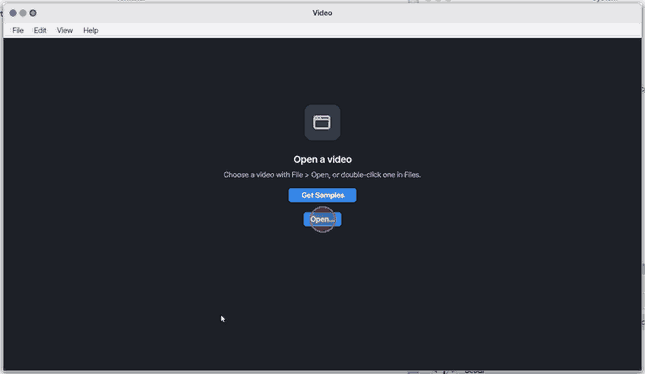
On a phone there is no File menu: tap the Open… button below the message to choose a video.
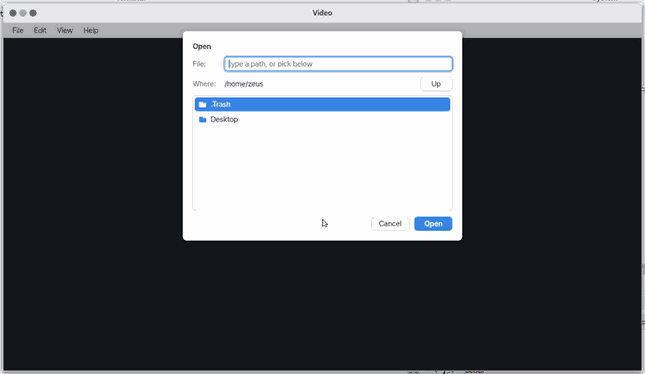
2. Open from Files
- Double-click a video in Files.
3. Back to the start
- Click Back.
Shortcuts
| Key | What it does |
|---|---|
Ctrl+O | Open… |
F5 | Open Again |
Ctrl+W | Close |
Ctrl+, | Settings… |
Ctrl+C | Copy Path |
Ctrl+R | Open Again |
F1 | Video Help |
The player
The player uses the whole screen. The picture keeps its shape and fits the screen; the rest is black. A bar at the bottom shows for the first 3 seconds, for 3 seconds after a key or a mouse move, and while paused: play/pause, the time played, the progress bar, the length and the volume.
| Key | What it does |
|---|---|
Space · Enter | Pause / play |
← / → | 5 s back / forward (to the nearest keyframe) |
Home / End | Start / end |
↑ / ↓ | Louder / quieter (the system volume, in steps of 10) |
M | Mute / unmute |
F | Fit the screen ↔ fill it (cropping the edges) |
I | Info: resolution, frame rate, codec, frames shown per second now |
Esc · Q · Backspace | Stop and go back to the Video window |
Mouse and touch: tap the progress bar to jump there (to the nearest keyframe). Tap the play/pause sign, or anywhere on the picture, to pause or play.
The browser player (NanumOS Mobile, desktop in a browser, the try-out)
In a browser the picture and sound come from the browser's own decoder (MP4/H.264, WebM, MOV, HEVC where the browser can, and audio files such as MP3 and M4A). The player lies over the window's picture area (on a phone, under the top bar). Tap Import to bring a video in from your phone or computer; a very large one stays in this tab (it has to be imported again after a reload). The three sample films play at once; if the list is empty, Get Samples brings them and plays the first.
| Control / key | What it does |
|---|---|
Space · K, the play button | Pause / play |
← / →, the 5 s buttons | 5 s back / forward |
| the bar | Tap or drag to jump |
↑ / ↓, the slider, M | Volume, mute (on an iPhone use its volume buttons) |
the speed button, , . | Speed 0.5x - 2x |
L | Loop |
N / P, the skip buttons | Next / previous video in the same folder |
C | Subtitles (a .srt or .vtt with the same name beside the video) |
F | Full screen (an iPhone uses its own full-screen player) |
Esc, Close | Back to the list |
Each file remembers where you stopped and picks up there next time. Nothing is sent anywhere. On NanumOS itself the desktop's own decoders play full screen as described above; the assistant can open, play, pause, seek and set the volume only where the player is in the window (the browser).
In the terminal
vplay FILE.mp4 (or .webm, .mkv) runs the same player from the terminal (the console, without the desktop). The last line, vplay: stats ..., gives the frames shown and dropped, the share of a CPU used and how far picture and sound were apart (ms).
Check
Zeus's check (os_check) has a "동영상" (Video) row: whether the player is in this build, and the frames per second and frames dropped of the last file played (.config/video/last in the home folder). More than 1% dropped is a warning.
Settings
Settings › Apps › Video (or Ctrl+, in this window) 「Downloaded decoder」: in a public build, the state of the downloaded video decoder (On · Off · Not downloaded yet), [Turn On]/[Turn Off], [Remove], and "OpenH264 Video Codec provided by Cisco Systems, Inc.". A build with its own decoder only says nothing is downloaded. The volume is the system volume (vol).
What it cannot do
- 10-bit and 12-bit video (HDR) and 4:4:4 video are not drawn yet (it ends with the reason).
- Decoding still uses one CPU without SIMD acceleration — 1080p may drop frames, depending on the machine.
- MP4/MOV playback is full screen only (in the window: Photo Booth videos only).
- Photo Booth videos have no seeking or progress bar yet (pause, go on, start over only).
- Seeking goes by keyframes (the nearest keyframe, not the exact frame).
- No subtitles, no choice of sound track, no playback speed.
- In H.264 with B-frames a few pixels can differ by 1 to 3 levels from the reference decoder (not visible).
Videos from Photo Booth
A video recorded in Photo Booth (.avi) plays right inside this window — on the phone (Mobile) too.
- Space, or a tap on the picture, pauses; again goes on. After the end it starts over.
- If the video has sound, it plays with it. A video without sound says 「This video has no sound.」 under the picture.
Technical details
MJPEG AVI (RIFF AVI 1.0: a JPEG per frame + 16-bit mono PCM sound). Frames are decoded by jpeg.c at the file's frame rate, and skipped when late. The sound is taken out as a WAV and played the Voice Memos way (u play) — after a pause it restarts from that point.
What this app takes and sends
| Takes | Only if you press [Download]: one file, Cisco's OpenH264 decoder (about 0.6 MB), from ciscobinary.openh264.org. Nothing else, ever. |
| Sends | Nothing about you or your videos. The download is an ordinary web request for that one file, so Cisco's server sees this device's internet address, like any web server. Our servers see nothing. |
| How long | Until you press [Remove] in Settings › Apps › Video (or delete the folder). |
| Off switch | Do not press [Download] and nothing is fetched. [Turn Off] / [Remove] in Settings. |
| No internet | The card says so within seconds and nothing is kept; H.264 videos cannot play until the decoder is here. |
Licence of the downloaded decoder (Cisco's text)
The full licence text Cisco publishes with the downloaded decoder (Cisco OpenH264), unchanged.
-------------------------------------------------------
About The Cisco-Provided Binary of OpenH264 Video Codec
-------------------------------------------------------

Cisco provides this program under the terms of the BSD license.

Additionally, this binary is licensed under Cisco’s AVC/H.264 Patent Portfolio License from MPEG LA, at no cost to you, provided that the requirements and conditions shown below in the AVC/H.264 Patent Portfolio sections are met.

As with all AVC/H.264 codecs, you may also obtain your own patent license from MPEG LA or from the individual patent owners, or proceed at your own risk.  Your rights from Cisco under the BSD license are not affected by this choice.

For more information on the OpenH264 binary licensing, please see the OpenH264 FAQ found at http://www.openh264.org/faq.html#binary

A corresponding source code to this binary program is available under the same BSD terms, which can be found at http://www.openh264.org

-----------
BSD License
-----------

Copyright © 2014 Cisco Systems, Inc.

All rights reserved.

Redistribution and use in source and binary forms, with or without modification, are permitted provided that the following conditions are met:

1. Redistributions of source code must retain the above copyright notice, this list of conditions and the following disclaimer.

2. Redistributions in binary form must reproduce the above copyright notice, this list of conditions and the following disclaimer in the documentation and/or other materials provided with the distribution.

THIS SOFTWARE IS PROVIDED BY THE COPYRIGHT HOLDERS AND CONTRIBUTORS “AS IS” AND ANY EXPRESS OR IMPLIED WARRANTIES, INCLUDING, BUT NOT LIMITED TO, THE IMPLIED WARRANTIES OF MERCHANTABILITY AND FITNESS FOR A PARTICULAR PURPOSE ARE DISCLAIMED.  IN NO EVENT SHALL THE COPYRIGHT HOLDER OR CONTRIBUTORS BE LIABLE FOR ANY DIRECT, INDIRECT, INCIDENTAL, SPECIAL, EXEMPLARY, OR CONSEQUENTIAL DAMAGES (INCLUDING, BUT NOT LIMITED TO, PROCUREMENT OF SUBSTITUTE GOODS OR SERVICES; LOSS OF USE, DATA, OR PROFITS; OR BUSINESS INTERRUPTION) HOWEVER CAUSED AND ON ANY THEORY OF LIABILITY, WHETHER IN CONTRACT, STRICT LIABILITY, OR TORT (INCLUDING NEGLIGENCE OR OTHERWISE) ARISING IN ANY WAY OUT OF THE USE OF THIS SOFTWARE, EVEN IF ADVISED OF THE POSSIBILITY OF SUCH DAMAGE.

-----------------------------------------
AVC/H.264 Patent Portfolio License Notice
-----------------------------------------

The binary form of this Software is distributed by Cisco under the AVC/H.264 Patent Portfolio License from MPEG LA, and is subject to the following requirements, which may or may not be applicable to your use of this software:

THIS PRODUCT IS LICENSED UNDER THE AVC PATENT PORTFOLIO LICENSE FOR THE PERSONAL USE OF A CONSUMER OR OTHER USES IN WHICH IT DOES NOT RECEIVE REMUNERATION TO (i) ENCODE VIDEO IN COMPLIANCE WITH THE AVC STANDARD (“AVC VIDEO”) AND/OR (ii) DECODE AVC VIDEO THAT WAS ENCODED BY A CONSUMER ENGAGED IN A PERSONAL ACTIVITY AND/OR WAS OBTAINED FROM A VIDEO PROVIDER LICENSED TO PROVIDE AVC VIDEO.  NO LICENSE IS GRANTED OR SHALL BE IMPLIED FOR ANY OTHER USE.  ADDITIONAL INFORMATION MAY BE OBTAINED FROM MPEG LA, L.L.C. SEE HTTP://WWW.MPEGLA.COM

Accordingly, please be advised that content providers and broadcasters using AVC/H.264 in their service may be required to obtain a separate use license from MPEG LA, referred to as "(b) sublicenses" in the SUMMARY OF AVC/H.264 LICENSE TERMS from MPEG LA found at http://www.openh264.org/mpegla

---------------------------------------------
AVC/H.264 Patent Portfolio License Conditions
---------------------------------------------

In addition, the Cisco-provided binary of this Software is licensed under Cisco's license from MPEG LA only if the following conditions are met:

1. The Cisco-provided binary is separately downloaded to an end user’s device, and not integrated into or combined with third party software prior to being downloaded to the end user’s device;

2. The end user must have the ability to control (e.g., to enable, disable, or re-enable) the use of the Cisco-provided binary;

3. Third party software, in the location where end users can control the use of the Cisco-provided binary, must display the following text:

       "OpenH264 Video Codec provided by Cisco Systems, Inc."

4.  Any third-party software that makes use of the Cisco-provided binary must reproduce all of the above text, as well as this last condition, in the EULA and/or in another location where licensing information is to be presented to the end user.


v1.0NanumOS 0.1.8349 · 2026-11-16