Web Apps
Status: In trial
Sites are the Browser's favourites now; this chapter is the Lab's web-app code.
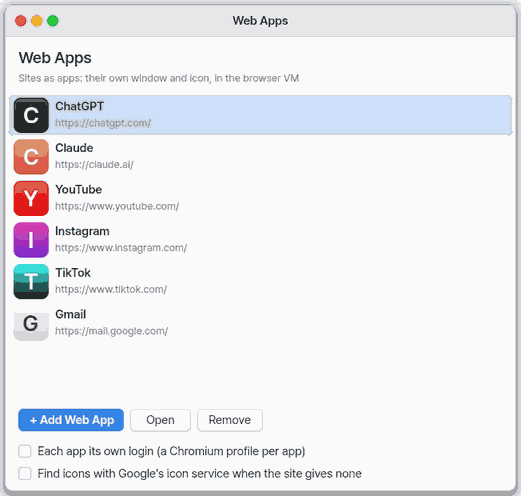
About this app
This chapter describes the old "Web Apps". Sites are now bookmarks in the browser, not apps, and there are no web apps in the app list. This app is still being tested (Lab stage). The web app code remains in the lab, but nothing turns it on on a normal desktop.
Basics
A web app used to be a shortcut that opened a site like an app of its own. A bookmark in the browser now does the same job. A bookmark is a note with a site's name and address; opening it shows the site in the browser.
How to use it
- Open the browser and open a site.
- Press
Ctrl+Dto add it to your bookmarks. - Later, pick the site in the browser's bookmarks to open it. Web apps you added before are already there with the same name and address.
Try it yourself
Try it yourself: Open the browser and look in the bookmarks for a site you added earlier.
How it works
- The six built-in ones and "Add web app" are gone, and the sites you added were moved to bookmarks.
- The old list is not deleted, so nothing is lost.
- In the Mac app the browser is the Mac's web view; elsewhere it is ZBrowser.
Technical details
- The lab code has two switches: "Separate login per app" (only for the browser VM in the lab) and "Find icons with an icon service" (off by default). They save at once.
- The code still has the path where each window opens a site in its own web view (
wopen,wrect,whide,wclose).
FAQ
Where did the "Add web app" button go
It is gone. A site is a bookmark in the browser, not an app. Open the site in the browser and press Ctrl+D.
Did I lose the sites I added before
No. They became bookmarks with the same name and address, and the old list is still kept.
How do I use the desktop programs of chat assistants
Those programs have no Linux edition. Use similar tools in the workbench.
At a glance
In one line: Sites are now browser favorites, and this chapter explains the old web apps.
The screen
- Not in the app list: no tile, no dock item, no "Add web app"
- Browser favorites: the sites you added are there with the same name and address
- In the Mac app the browser is the Mac web view; elsewhere it is Z Browser
Task 1. Find an old web app
- Open the browser
- Look at the favorites
Say: "Open the browser"
Task 2. Add a site
- Open the site in the browser
- Press
Ctrl+D
Say: "Open the browser"
Task 3. Open a favorite
- Open the browser
- Pick the site in the favorites
Say: "Open the browser"
Try this
1. Find your old web apps
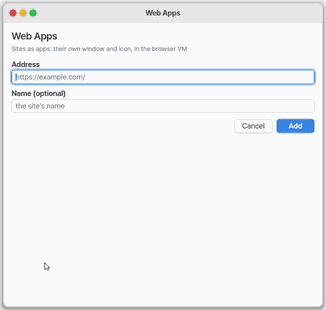
2. Add a site
- In the Browser, open the site and add it to the favourites. On the Mac app the Browser is the Mac web view; elsewhere it is ZBrowser.
3. Open a favourite
Shortcuts
None: web apps have no window any more. The Browser's own keys apply.
Settings
The Lab code (not shown in any app list) keeps its two switches, saved at once.
- Log in separately per app: Lab browser VM only.
- Find icons with Google's icon service: off by default.
What it cannot do
- It is not an app list any more: no tiles, no Dock entry, no Add Web App.
- The Lab code still opens a site in its own Mac web view per window (
wopen,wrect,whide,wclose); nothing in the normal desktop starts it.
NanumOS 0.1.8349 · 2026-11-16